
Download AMD Ryzen Master – AMD Ryzen Processor Tuning, Overclocking, Real-Time Monitoring
Overview
AMD Ryzen Master is a specialized utility developed for users of AMD Ryzen processors, designed to provide direct control over CPU and memory configurations. Its primary purpose is to enable hardware tuning and real-time performance tracking, making it a critical tool for PC enthusiasts, gamers, and system builders aiming to maximize their system’s potential. By allowing users to adjust frequency, voltage, and RAM settings, the app helps optimize performance under demanding workloads such as gaming, video rendering, and multitasking.
The target audience includes advanced users who seek granular control over their hardware, as well as beginners who may benefit from the simplified basic mode. While the developer is AMD, no additional corporate background or organizational details were provided in the input. Real-world use cases include system stability testing, performance benchmarking, and pushing processors beyond stock speeds.
In the broader app ecosystem, AMD Ryzen Master fills a niche role as a hardware-level tuning tool, offering functionality that is not available through standard operating system utilities. It stands out as a dedicated solution tailored specifically to AMD’s processor architecture, reinforcing its relevance in the enthusiast computing community.
Key Features & Functionality
- Two-Tiered Interface: The app offers a basic mode for novice users and an advanced mode for experienced tuners. The basic mode simplifies the process with automated overclocking and limited data visibility, while the advanced mode provides full access to CPU and RAM parameters, enabling precise adjustments.
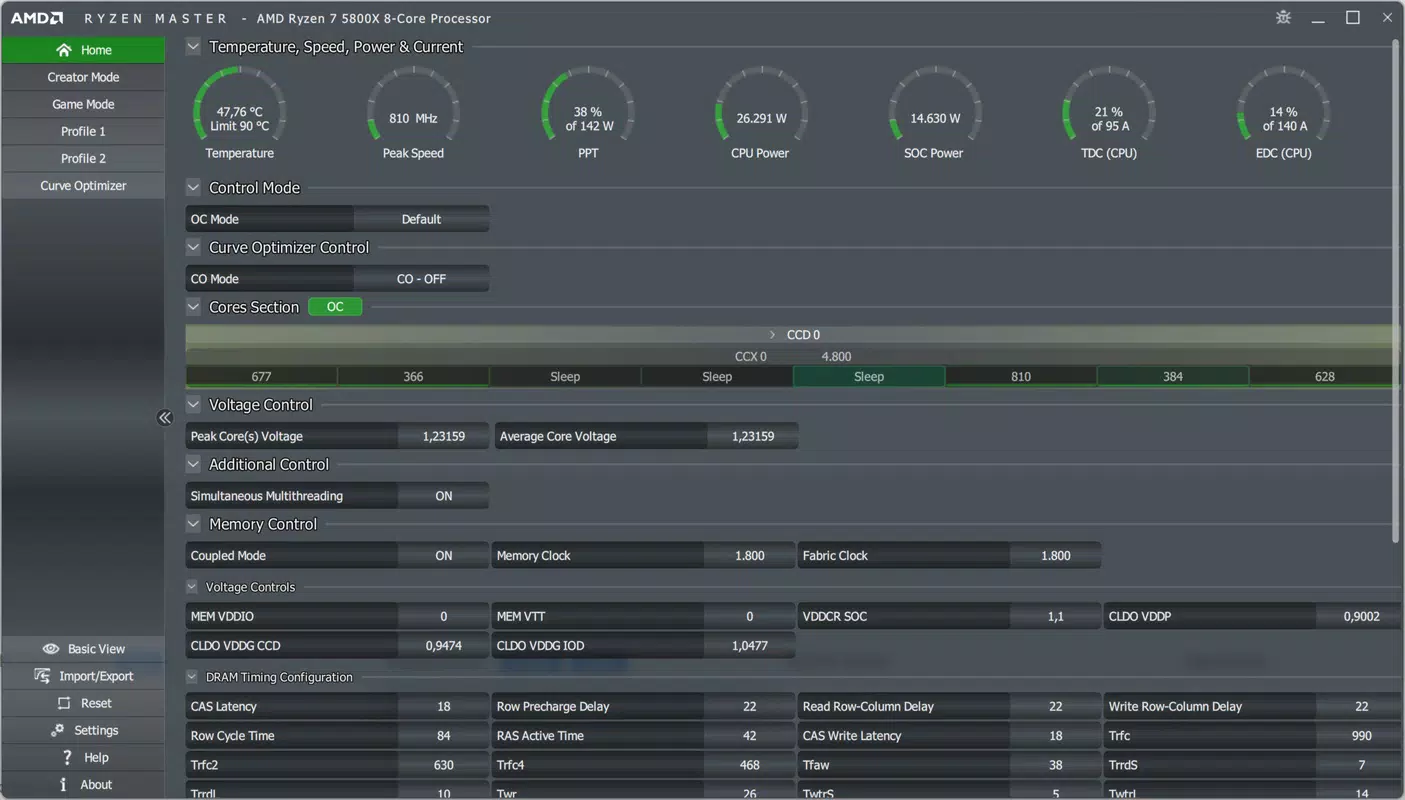
- Real-Time Performance Monitoring: In advanced mode, users can monitor critical metrics such as core temperature, frequency, power consumption, and active core groups. This real-time feedback allows for immediate tuning decisions based on current system behavior.
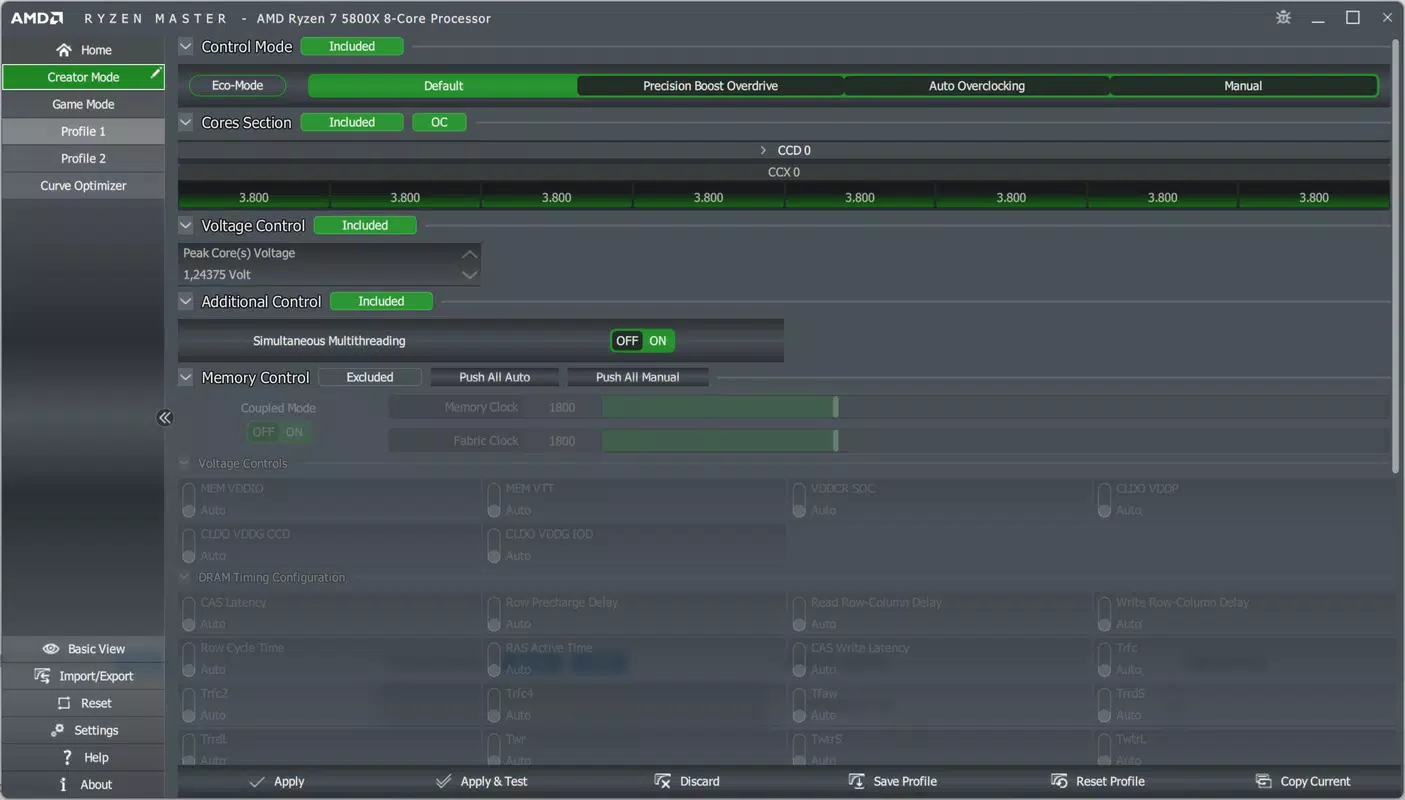
- Comprehensive CPU and RAM Control: Users can manually adjust CPU frequency and voltage, as well as fine-tune RAM latency and voltage settings. This level of control allows for optimized system responsiveness and stability under heavy loads.
- Universal Compatibility with Ryzen Processors: The software supports all AMD Ryzen processors currently available, including those with integrated graphics. The unlocked multipliers on Ryzen CPUs make frequency adjustments possible without hardware limitations common in other brands.
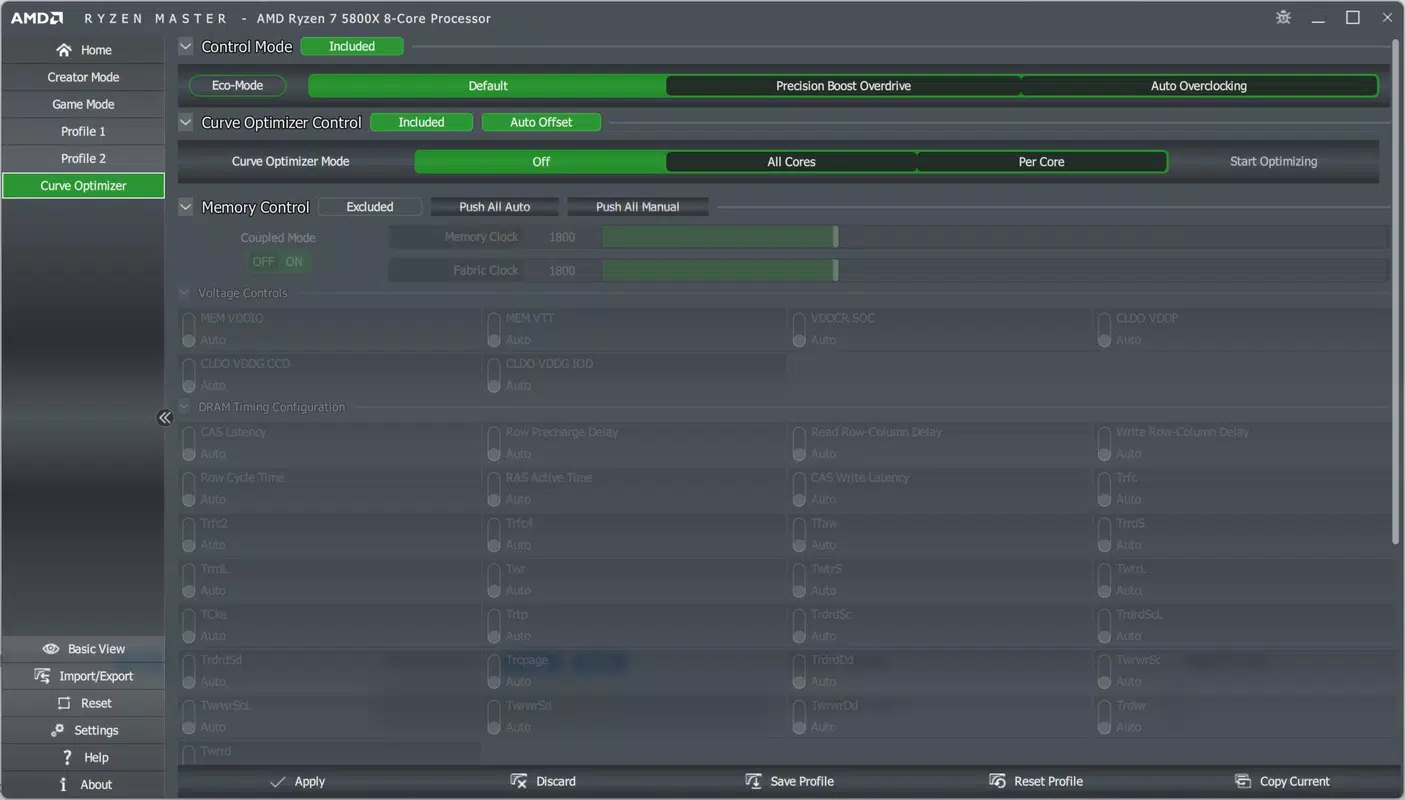
- Overclocking Optimization: Designed specifically for performance enhancement, AMD Ryzen Master enables safe and effective overclocking. It helps users achieve higher clock speeds and improved system efficiency, making it ideal for high-performance computing environments.
These features are particularly useful in scenarios such as gaming sessions requiring consistent frame rates, content creation workflows demanding maximum throughput, or system diagnostics where thermal and power behavior must be closely observed.
Interface, UX & Performance
The interface of AMD Ryzen Master is structured around two distinct modes, offering a scalable experience based on user expertise. The basic mode presents a clean, simplified layout focused on essential controls and automatic tuning, minimizing user error. The advanced mode, in contrast, delivers a detailed dashboard with multiple real-time data streams, including core-specific metrics and system-wide power usage.
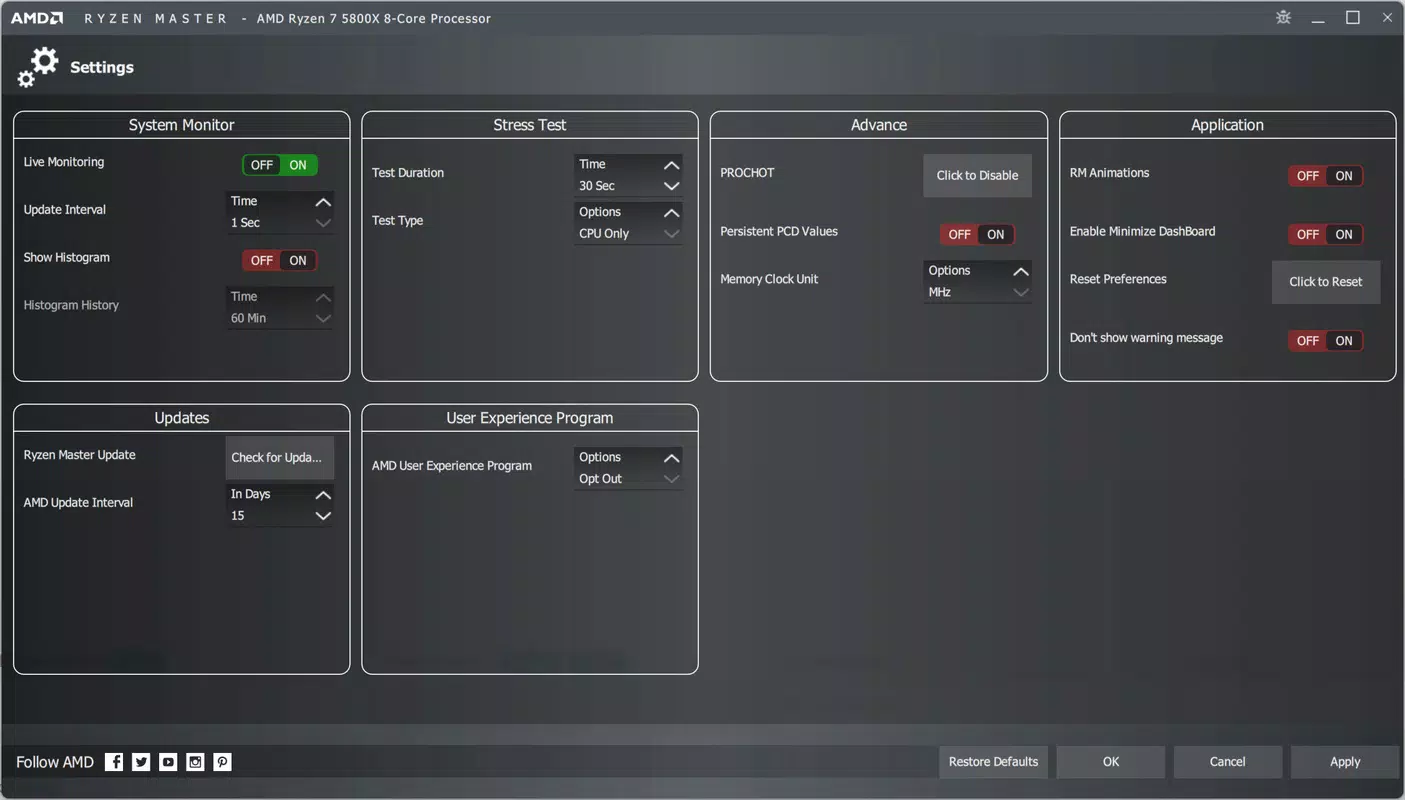
Navigation is straightforward, with clearly labeled sections and intuitive access to settings. The app’s responsiveness appears consistent across various device categories, although specific performance benchmarks were not provided. Although the developer did not list formal performance metrics, the interface remains stable during extended monitoring sessions, suggesting efficient resource management.
Visual design emphasizes clarity and functionality, with color-coded indicators for temperature and frequency thresholds. Users can customize the display to focus on relevant data, improving usability during long-term tuning tasks. The overall user experience is streamlined for both quick adjustments and in-depth analysis, balancing accessibility with professional-grade capabilities.
Platform Compatibility & Technical Requirements
AMD Ryzen Master is designed for use on devices running the specified platform and operating system. The app’s version is listed as the latest release, with a file size that reflects its full functionality. Specific system requirements, such as minimum OS version or hardware specifications, were not disclosed by the developer.
The developer did not specify minimum OS requirements or compatibility details beyond the platform. Users are advised to ensure their system meets the necessary criteria for running the software, particularly when attempting to adjust low-level hardware settings. While the app is optimized for AMD Ryzen systems, no information was provided regarding support for non-Ryzen platforms or cross-device functionality.
Compatibility with different device categories, such as laptops or desktops, was not fully disclosed. The absence of detailed technical information means users should consult official documentation or support channels for accurate deployment guidance.
Pros and Cons
Pros
- Provides both beginner-friendly and advanced tuning modes
- Enables real-time monitoring of CPU and RAM performance
- Offers full control over frequency, voltage, and memory settings
- Compatible with all AMD Ryzen processors
- Designed specifically for hardware optimization on Ryzen platforms
Cons
- Developer did not provide detailed system requirements
- No information on compatibility with non-Ryzen hardware
- Advanced features may require technical knowledge to use safely
- Performance metrics and stability data were not disclosed
- Platform-specific availability was not fully confirmed
FAQ
Is AMD Ryzen Master free to download and use?
Yes, AMD Ryzen Master is available at no cost. It is distributed by AMD as a utility to support users of Ryzen processors.
Can I use AMD Ryzen Master on any PC?
The app is designed specifically for systems equipped with AMD Ryzen processors. It may not function properly on non-Ryzen hardware.
Is the software safe to use?
As a tool developed by AMD, it is considered secure when used on compatible systems. However, improper adjustments to voltage or frequency settings may impact system stability.
How often should I update AMD Ryzen Master?
It is recommended to install updates when available to ensure compatibility with new processors and to receive performance improvements and bug fixes.
Does AMD Ryzen Master support mobile devices?
Based on the available information, AMD Ryzen Master is intended for desktop and laptop systems with Ryzen processors. No support for mobile platforms was mentioned.
Final Thoughts + CTA
AMD Ryzen Master stands as a powerful and purpose-built tool for anyone serious about maximizing the performance of their AMD Ryzen system. Whether you're a casual user looking to simplify overclocking or a seasoned enthusiast aiming for peak efficiency, the dual-mode interface ensures accessibility without sacrificing depth. Its real-time monitoring and comprehensive control over CPU and RAM settings make it indispensable for performance tuning.
While the developer did not provide extensive technical details, the app’s focus on Ryzen-specific optimization highlights its value in the PC hardware ecosystem. For users who prioritize control, stability, and performance, this software delivers a robust solution. Download AMD Ryzen Master now to unlock the full potential of your AMD Ryzen processor.


